 Gear icon
in the right corner to view and/or edit your Phone
Calls Filters.
Gear icon
in the right corner to view and/or edit your Phone
Calls Filters.Mobile App > Editing Phone Call Filters
Select the Gear icon
in the right corner to view and/or edit your Phone
Calls Filters.
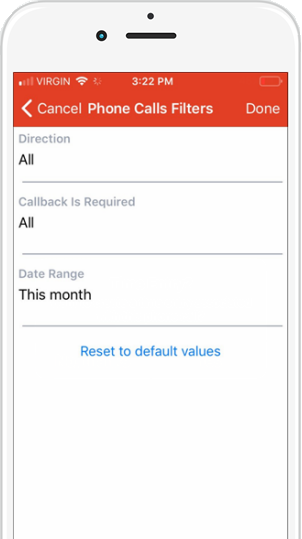 |
● Direction – Select an option from the dropdown list: o All (default) o Inbound o Outbound ● Callback is Required – Select an option from the dropdown list: o All (default) o Yes o No ● Date Range – Select an option from the dropdown list: o Last 7 days (default) o This Month o Last 30 days o Last 3 days o Today |
● Log in and out of the Mobile App
Amicus Cloud (January 2023)
Copyright